Mac
Hold a key. Speak. Release.
The transcript pastes at your cursor in whatever app is in front — a menu-bar agent with global hotkeys, styles that adapt to the app you're writing in, and voice commands over selected text.
Private dictation for Mac, iPhone, and Apple Vision Pro.
01 / Listen
A small glowing orb floats beside your work. It does one thing.
02 / Record · 00:12
Talk the way you think. Pause to gather a thought, switch languages partway through a sentence. Parakeet v3 detects 25 European languages on its own; Whisper Large v3 reaches 100. Pick your model, then just talk.
Pause / Resume · Max 05:00
03 / Transcribe
Parakeet or Whisper, whichever you pick, runs on your device. No transcription server, no network round trip; your words never queue behind someone else’s.
04 / Deliver
Insert into the active app on Mac, dictate through the iPhone keyboard, or copy from Vision Pro and paste anywhere.
One app · Three platforms
The same on-device models everywhere, delivered the way each platform actually works — not one app stretched across three.
Mac
The transcript pastes at your cursor in whatever app is in front — a menu-bar agent with global hotkeys, styles that adapt to the app you're writing in, and voice commands over selected text.
iPhone
A custom keyboard with a mic where you type. Start from any text field, talk from anywhere, and the finished transcript inserts itself — with controls on the Lock Screen and in the Dynamic Island.
Vision Pro
Studio and Orb float in your space. Tap, talk, tap — the transcript is on your clipboard the moment it lands, ready to paste anywhere. A spatial widget starts you talking.
Privacy · By construction
Audio is transcribed on your device and never uploaded by VisionSpeech. History stays local unless you explicitly enable iCloud Sync on iPhone or Vision Pro. The current Mac distribution remains local-only and can optionally retain recordings locally when you ask it to.
On Apple Vision Pro
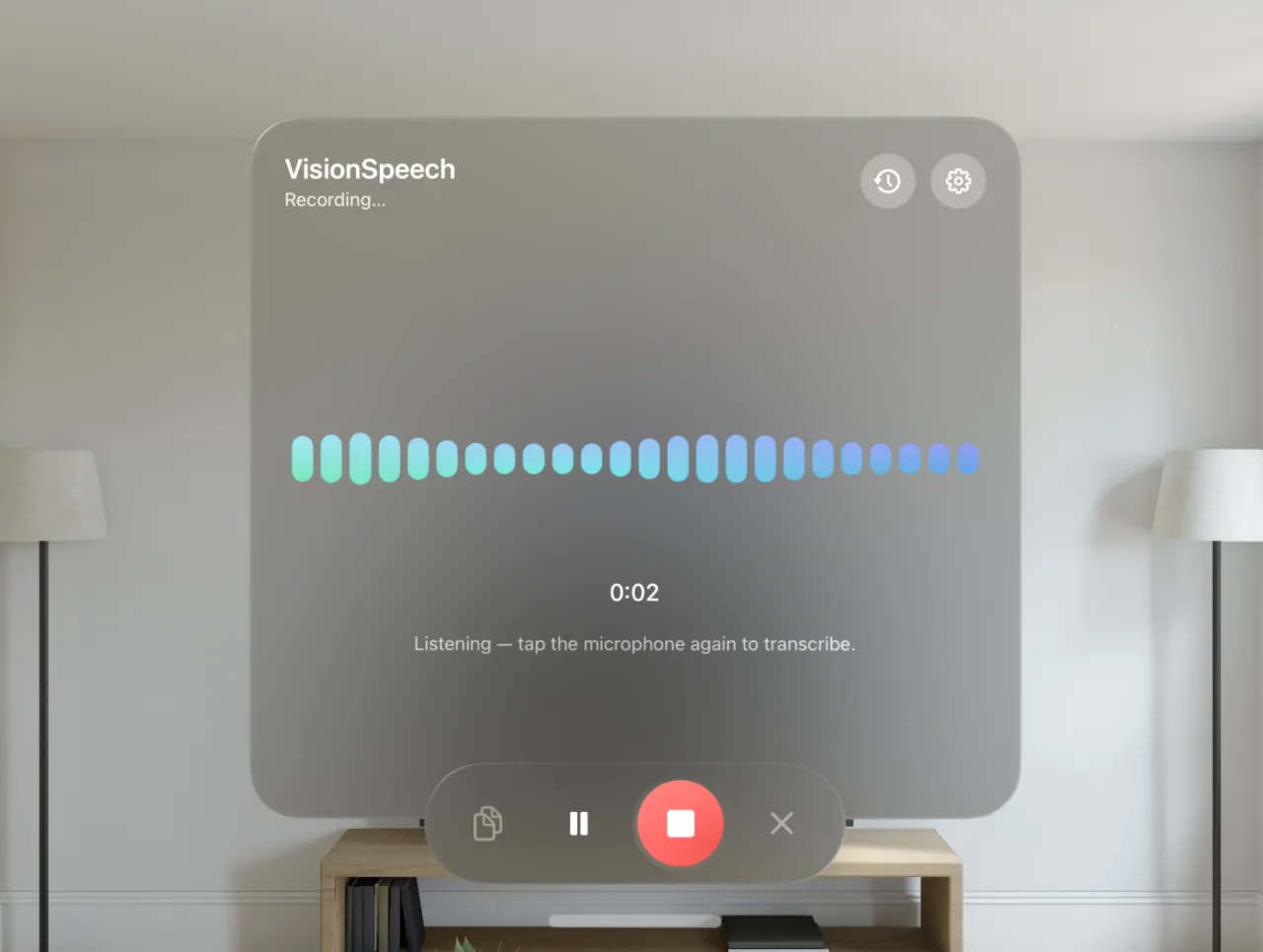
The full desk: an editable transcript, a live waveform, and a searchable history of your last 100 dictations.
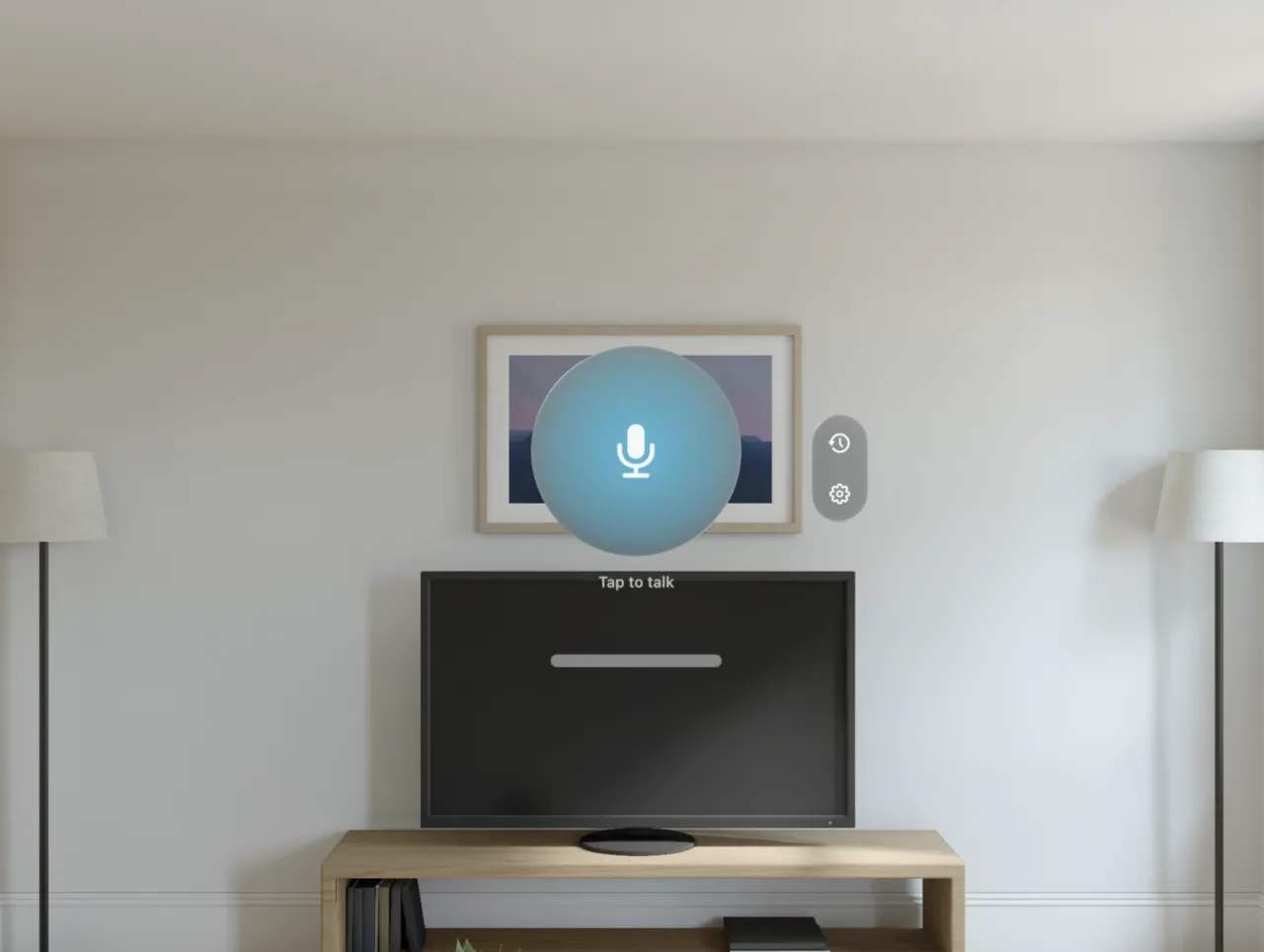
A floating sphere for dictating into everything else. Tap, talk, tap, then paste.
Writing tools · Every platform
Mac · iPhone · Vision Pro
Teach it names, brands, and jargon once — or switch on a bundled dictionary pack for your field. Every transcript snaps close matches to the spelling you meant.
Mac · iPhone · Vision Pro
Exact phrases, rewritten every time — say your email address out loud, get the real one in the text.
Mac · iPhone · Vision Pro
One tap removes the "ums", fixes punctuation, or reshapes a dictation into bullet points or email tone — Apple Intelligence on the device, or the Mac's downloadable local model where it can't help. One tap reverts.
Mac · iPhone · Vision Pro
Hesitation sounds vanish from every transcript before it lands — deterministic, in any language, and independent of AI cleanup. The filler list is yours to edit.
Mac · iPhone
Canned phrases one tap away — on the iPhone keyboard's snippets page and in the Mac main window, shared between both.
Mac · iPhone · Vision Pro
Say "Hey Siri, start dictation", pipe your last transcript into Shortcuts, or pin the launcher widget — in your space on Vision Pro, on your screens on iPhone.
| Speech models | NVIDIA Parakeet v3 · OpenAI Whisper Large v3 |
|---|---|
| Runtime | FluidAudio & WhisperKit · CoreML |
| Languages | Parakeet detects 25 · Whisper up to 100 |
| Model download | Parakeet 470 MB · Whisper 626 MB, one time |
| Platform workflows | Mac paste at the cursor · iPhone keyboard · Vision Pro clipboard |
| Mac extras | Per-app styles · file transcription · voice commands · inline autocomplete (beta, off by default) |
| iPhone extras | Custom keyboard · Live Activity · Dynamic Island |
| Network after setup | Optional iCloud sync (iPhone/Vision Pro) · optional extra model downloads |
| Recording | Up to 5:00, pause / resume |
| Custom vocabulary | My Words · dictionary packs · Text Replacements |
| AI cleanup | Apple Intelligence, on device · optional local model on Mac |
| Hands-free | Siri · Shortcuts · widget (iPhone/Vision Pro) · Mac global hotkeys |
| History | Last 100, local by default · iPhone/Vision Pro iCloud opt-in |
| Accounts · Analytics · Tracking | None |
| Requires | macOS 26 · iOS 26 · visionOS 26 |